



Track Billable Hours

Maximize profitability by enhancing utilization, and accurately tracking billable employee hours.

Get a demo
Trusted by thousands of companies of all sizes

Track Billable Hours in Real Time

Quickly see how any project, job, or program is performing in real time! Dive into project budgets and available employee hours with on demand reports and easy-to-understand dashboards.

"ClickTime saves our team hundreds of non-billable hours a week - and nearly $200,000 a year."
Annemarie Anaya
Accountant, Eastwick Communications

Set Dynamic Billing Rates

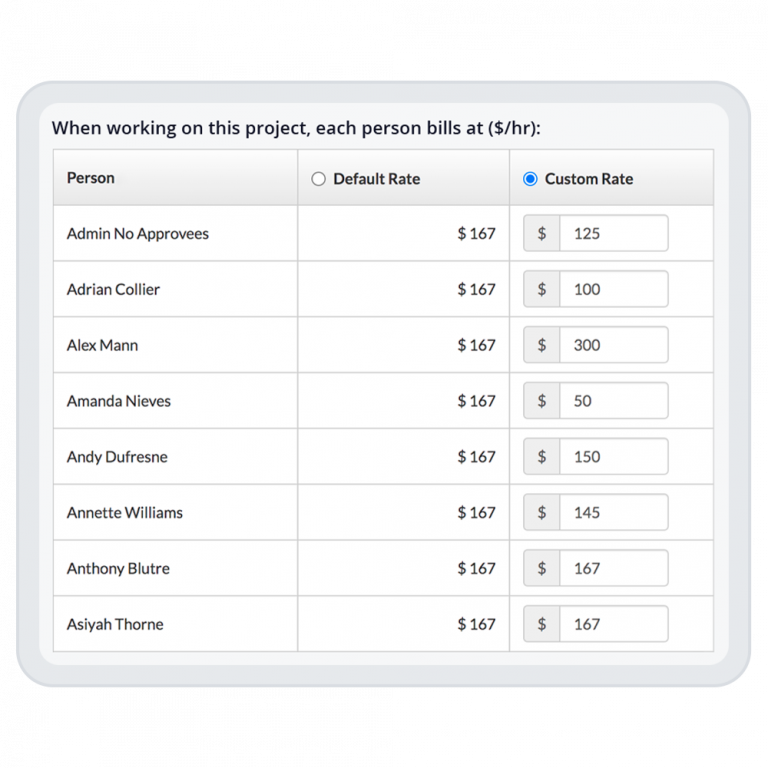
Effortlessly manage your billing process with an advanced system that supports a variety of fee structures and pricing models. Whether you prefer billing by person, project, task, hour, retainer, set fee, or even by-exception, ClickTime adapts seamlessly, empowering you to focus on what matters most.

  • Set premium, discounted, and blended rates, tailor-made for your clients and projects.
  • Simplify your workflow by automatically applying the right billing rate to employee hours.
  • Experience the flexibility to customize fee structures or just quickly apply a base rate.
Optimize your billing process

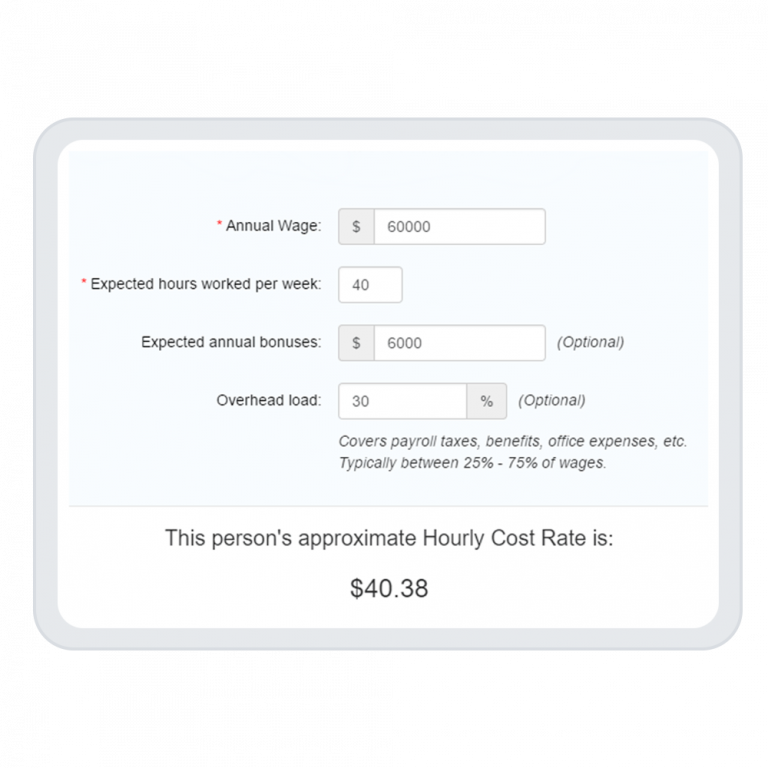
Understand Billables vs. Cost

It’s one thing to understand how much you are billing a client. It’s another to understand if the work you are doing is profitable. But it shouldn’t be so hard! We make it as simple as possible to track billable hours. And give you easy tools to maximize profitability.

Measure profitability now

Rethink Your Billing Rates

Are you billing your clients as much as you could be? Learn how to maximize profitability and better manage employee time, utilization, and billable hours.

Download white paper
Integrations

Purpose-built for labor cost data, not pieced together

View all integrations

Every entry includes approval workflows, complete change history, and instant reporting. Whether it's R&D tax credits, client billing disputes, or grant compliance, you have defensible records without scrambling through spreadsheets or Jira logs.

Smart Connect
Smart Connect
Smart Connect
Smart Connect
Smart Connect
Smart Connect
Smart Connect
Smart Connect

Feature FAQs

How do I track billable time?

To track billable time, simply select a job or project as “billable.” in the Company tab. From there you can select your billing rate model: by person, by project, or by task. Or, for more custom rates, you can create exceptions for projects, people, or clients, so that different employees are billing at different rates, dynamically based on what activities they are performing.

What are billing increments?

Billing increments are the amounts of time that are used to measure work on behalf of clients or for a given project. Billing can be rounded up to the nearest hour, half hour, 15 minutes, or six minutes (1/10th of an hour). Your minimum billing increment, or the shortest amount of time for which you can bill, generally varies based on your industry. For example, lawyers tend to bill in smaller increments than PR consultants.

What is the difference between billable and non-billable time?

Billable time is charged to a client or internally to another team or organization. Non-billable time is typically reserved for work or projects that cannot be directly charged to someone else. Examples of non-billable time include administrative activities, sales, onboarding, training, internal meetings, etc.

Should I track non-billable time?

We highly recommend that you track non-billable time. By doing so, you can benchmark how long it takes to complete various internal processes and tasks, and you can also begin to understand the true costs of business development, sales, training, etc. for your organization.

Try ClickTime for free

Book a demo
Ask a question

Stop losing visibility into your largest expense

Book a demo
Ask a question