





1240+ Reviews

See exactly where your labor costs go.

ClickTime captures time at the moment work happens—categorized by project, client, and cost type—so finance and ops leaders get the clean, verified data they need for billing, budgets, and compliance.

Get a demo
Trusted by thousands of companies of all sizes

Labor cost visibility starts with better time data.

Labor is your largest expense, but most organizations can't answer basic questions about it: Which projects are profitable? Where did the budget actually go? Is this data audit-ready?

The problem isn't tracking time. It's getting time data that's categorized, verified, and usable the moment it's captured—without finance spending hours cleaning it up.

ClickTime structures every hour by project, client, cost center, and work type at the point of entry. Built-in approvals verify the data before it hits your books. The result: labor cost visibility you can act on.

Categorized at entry

Every hour tied to billable/non-billable, CapEx/OpEx, R&D, or custom cost types

Verified hours

Multi-level approvals with complete audit trails

Ready for your systems

Clean integrations and exports to ERP, accounting, and analysis tools

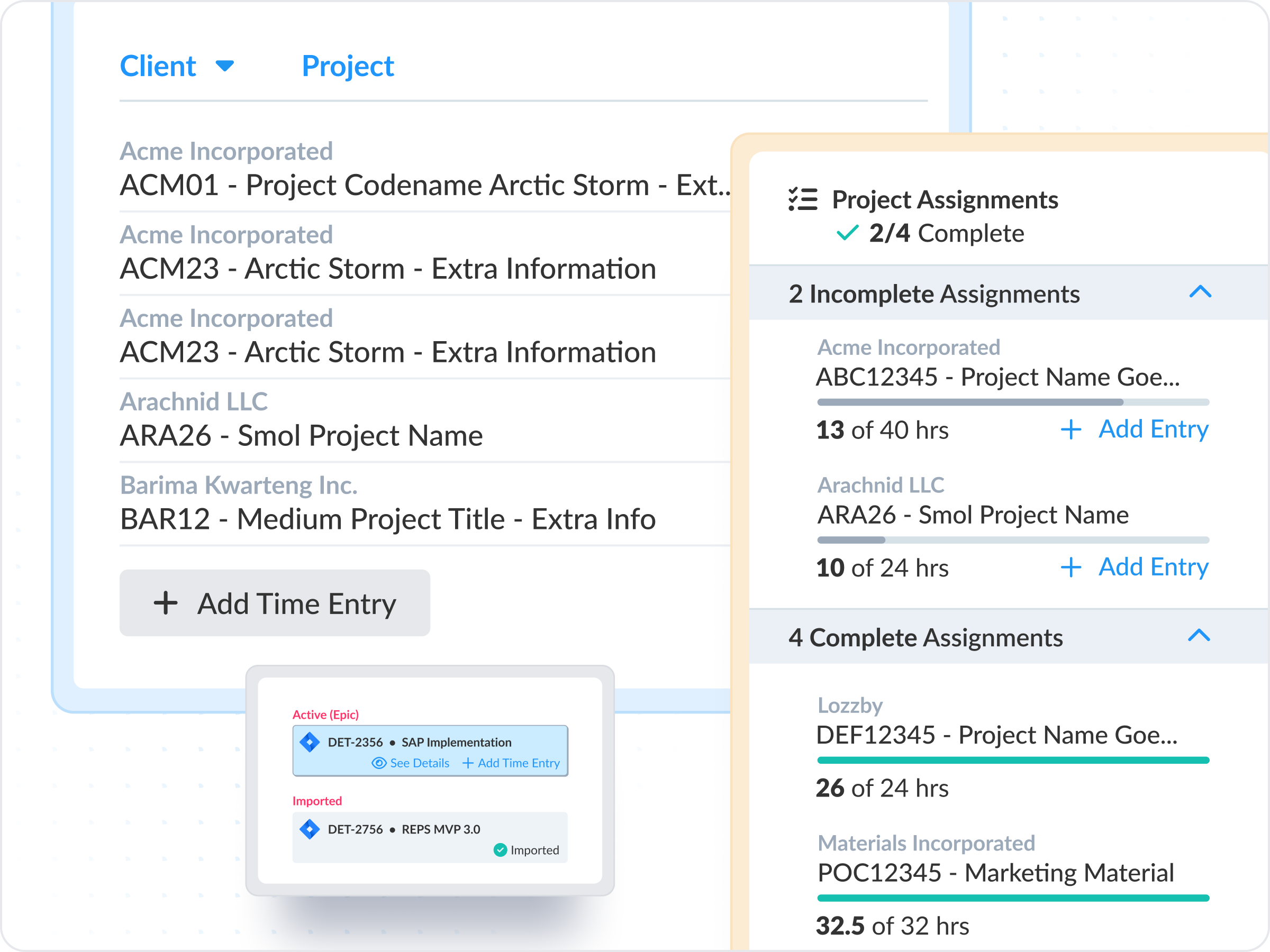
Capture time where work happens—already categorized.

Calendar events and Jira activity flow directly into ClickTime, mapped to the right cost buckets automatically. No double entry, no miscoding, no chasing engineers for timesheets.

View all subfeatures
 

CapEx and OpEx labor tracking

Maximize tax benefits with automated CapEx/OpEx labor categorization


Enterprise time tracking

Scale time tracking organization-wide while maintaining data accuracy for complex operations


Resource capacity planning

Plan capacity strategically to avoid resource scrambles


Integrations and data exporting

Power your ERP, HRIS, and data warehousing with seamlessly integrated, verified labor data


Mobile timesheets

Never let timesheet approvals slow down payroll or billing with our mobile apps


DCAA compliant timesheets

Protect government contracts with DCAA-compliant labor records


Single Sign-On (SSO)

Ensure secure, compliant access and streamline IT management with enterprise-grade Single Sign-On (SSO)


Time entry options

Configure time tracking to deliver the cost data your business needs


Time sheet approvals

Ensure audit-ready financial records with robust, built-in timesheet approval workflows

"Since 2013, we've planned and run every billable hour through ClickTime for our entire staff of over 500 people."
Susan Canales
Susan Canales
Finance Department, Allison Worldwide

Data you can use without cleaning it first.

Most time tracking tools give you a log of hours. ClickTime gives you labor cost data—structured by project, client, cost center, and work type at the moment of entry.

  • Custom fields map to your chart of accounts, cost centers, and billing codes
  • Cost rates auto-applied by person, role, or project type
  • Billable vs. non-billable, CapEx vs. OpEx, R&D-eligible—captured at entry, not reconciled later
See reporting capabilities

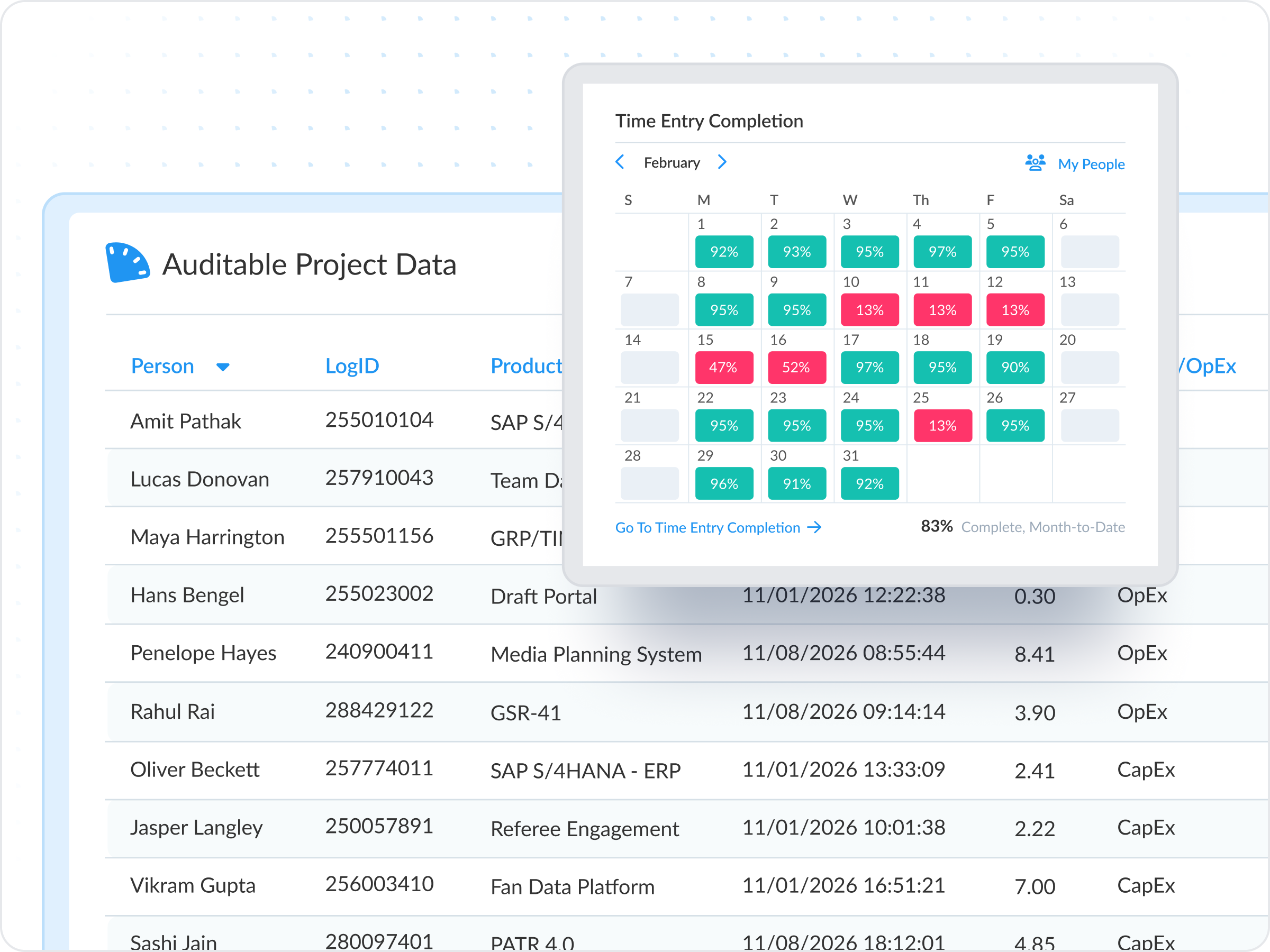
Verified hours with a complete audit trail.

Approval workflows ensure every timesheet is reviewed before it hits your books. When auditors or clients ask questions, you have the documentation to back it up.

  • Multi-level approval hierarchies that match your org structure
  • Full audit trail on every entry, edit, and approval
  • Lock periods to prevent retroactive changes after close
Learn about approvals

Data is only accurate if it’s actually captured.

The best labor cost data comes from time captured in the moment, not reconstructed at month-end. ClickTime removes friction so employees submit on time—and finance gets complete data.

  • Automated time tracking for popular apps your team already uses
  • Hours logged are automatically mapped to finance categories
  • Automated reminders keep submissions and approvals on track
See time entry options
Integrations

Structured data that flows into your existing systems

View all integrations

ClickTime's categorization hierarchy means exports map cleanly to your GL, ERP, or analysis tools—no manual reformatting required.

Smart Connect
Smart Connect
Smart Connect
Smart Connect
Smart Connect
Smart Connect
Smart Connect
Smart Connect
Integrations

Structured data that flows into your existing systems

View all integrations

ClickTime's categorization hierarchy means exports map cleanly to your GL, ERP, or analysis tools—no manual reformatting required.

Smart Connect
Smart Connect
Smart Connect
Smart Connect
Smart Connect
Smart Connect
FAQs

Common questions

The ClickTime team is here to answer your questions.

See all FAQs
How is ClickTime different from basic time tracking tools?

Most tools give you a log of hours. ClickTime structures every entry by project, client, cost center, and work type—so you get finance-ready labor cost data, not a spreadsheet to clean up.

Will our team actually use time tracking software?

Yes. ClickTime offers multiple entry methods (automation through calendar and Jira integrations with Smart Match, and more on the way, ClickTime’s mobile app and web time tracker), pre-filled categories, and reminders. The whole ClickTime team uses the software we build everyday, so we make sure it’s simple and functional.

How long does implementation take?

Most teams are up and running within a few days, but some more complex organizations might take a few weeks. Our implementation team helps configure your cost structure, approval workflows, and integrations.

Does ClickTime integrate with our ERP/accounting system?

Yes. We integrate with leading systems including NetSuite, QuickBooks, Sage Intacct, and more. Data exports map directly to your chart of accounts.

Can ClickTime integrate into my existing billing or accounting system?
Exporting data & integration

Currently, we support integration for QuickBooks® with all plans. For other billing and accounting systems, please contact your sales professional for customized integration options.

How do I demo ClickTime?
Free trial

If you would like to demo ClickTime, go to Free Trial and fill out the submission form. You will be asked for some basic information. When we receive your submission for the demo request, we will activate your free trial, and you will be notified via email.

Stop losing visibility into your largest expense

Book a demo
Ask a question