





1240+ Reviews

See where every hour goes, what it costs, and what it delivers.

40% of finance leaders don't trust their labor cost data. ClickTime turns work hours into finance-ready data that powers budgeting, compliance, and strategic planning—so you can control your largest expense with confidence.

Get a demo
Trusted by thousands of companies of all sizes

Labor is your biggest expense. Treat it like one.

Most organizations can tell you exactly what they spent on software licenses last quarter. Ask them what they spent on labor by project—and the answer gets murky fast.

Our research confirms it: 32% still rely on spreadsheets for complex labor tracking. Nearly 1 in 4 have lost R&D tax credits due to inadequate documentation.

ClickTime captures and categorizes labor costs at the moment of entry, giving finance, engineering, and project teams a shared, accurate view of where time and money actually go. The result: data you can trust for budgets, audits, and decisions.

Organized at the source

Every hour is tagged with the cost categories, projects, and classifications—before it hits finance.

Verified through approvals

Built-in approval workflows and audit trails ensure labor data is reviewed and defensible.

Captured without friction

Integrations with calendars and project tools reduce friction, so you capture more hours with less effort.

Built for how finance actually works

The features that make labor cost data usable for real financial workflows.

View all subfeatures
 

Project budgeting

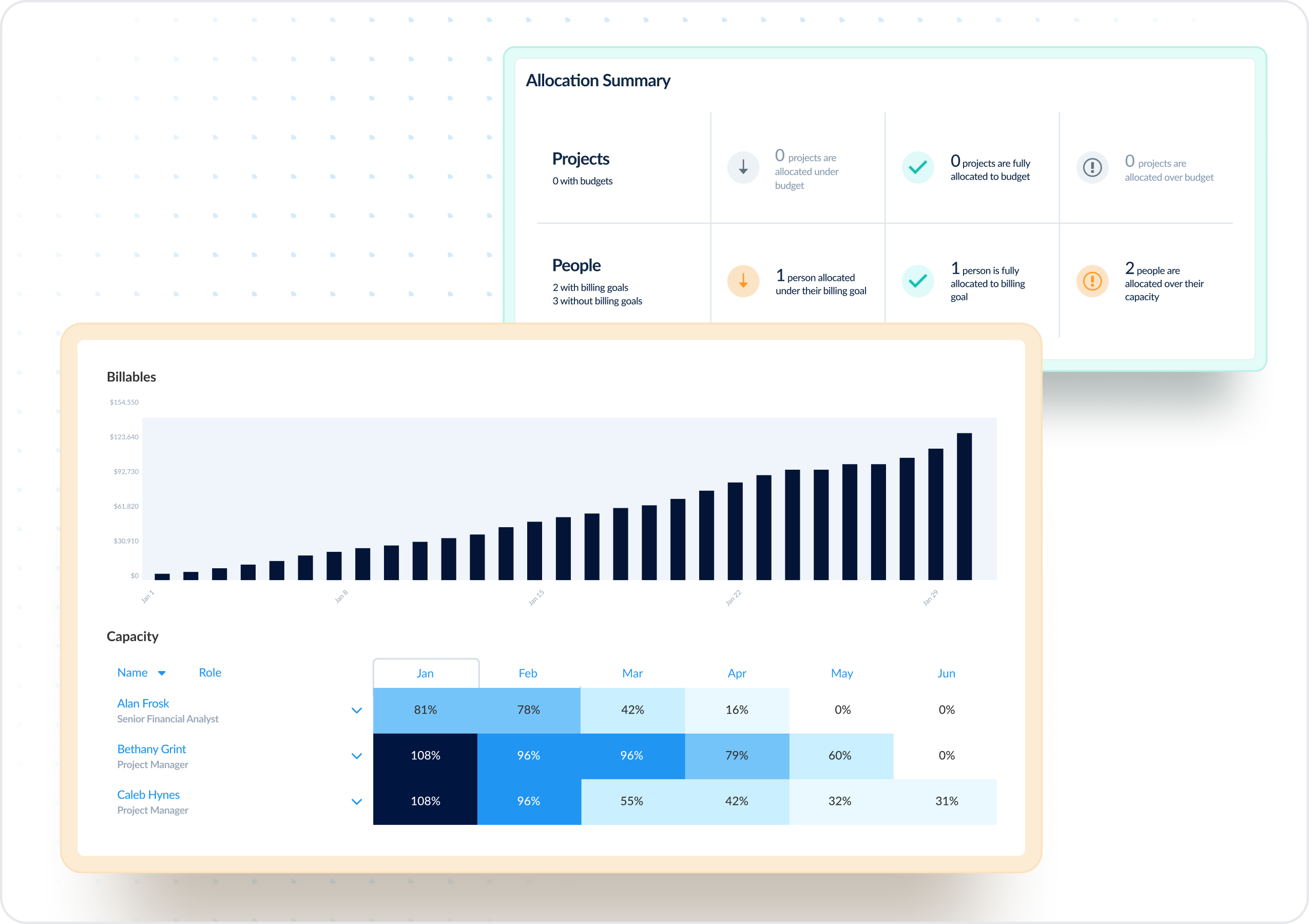
Protect margins and optimize financial performance with accurate, real-time project cost visibility


Project cost intelligence

Spot unprofitable projects before they impact your bottom line


Integrations and data exporting

Power your ERP, HRIS, and data warehousing with seamlessly integrated, verified labor data


Verified labor data

Trust your financial reporting with verified labor cost data


Customizable data export (CDE)

Get clean, verified data through manual exports or automated integrations with your BI tools


CapEx and OpEx labor tracking

Maximize tax benefits with automated CapEx/OpEx labor categorization


Automated tracker

Eliminate manual time entry errors by automating tracking from Jira, Google Calendar, and Outlook


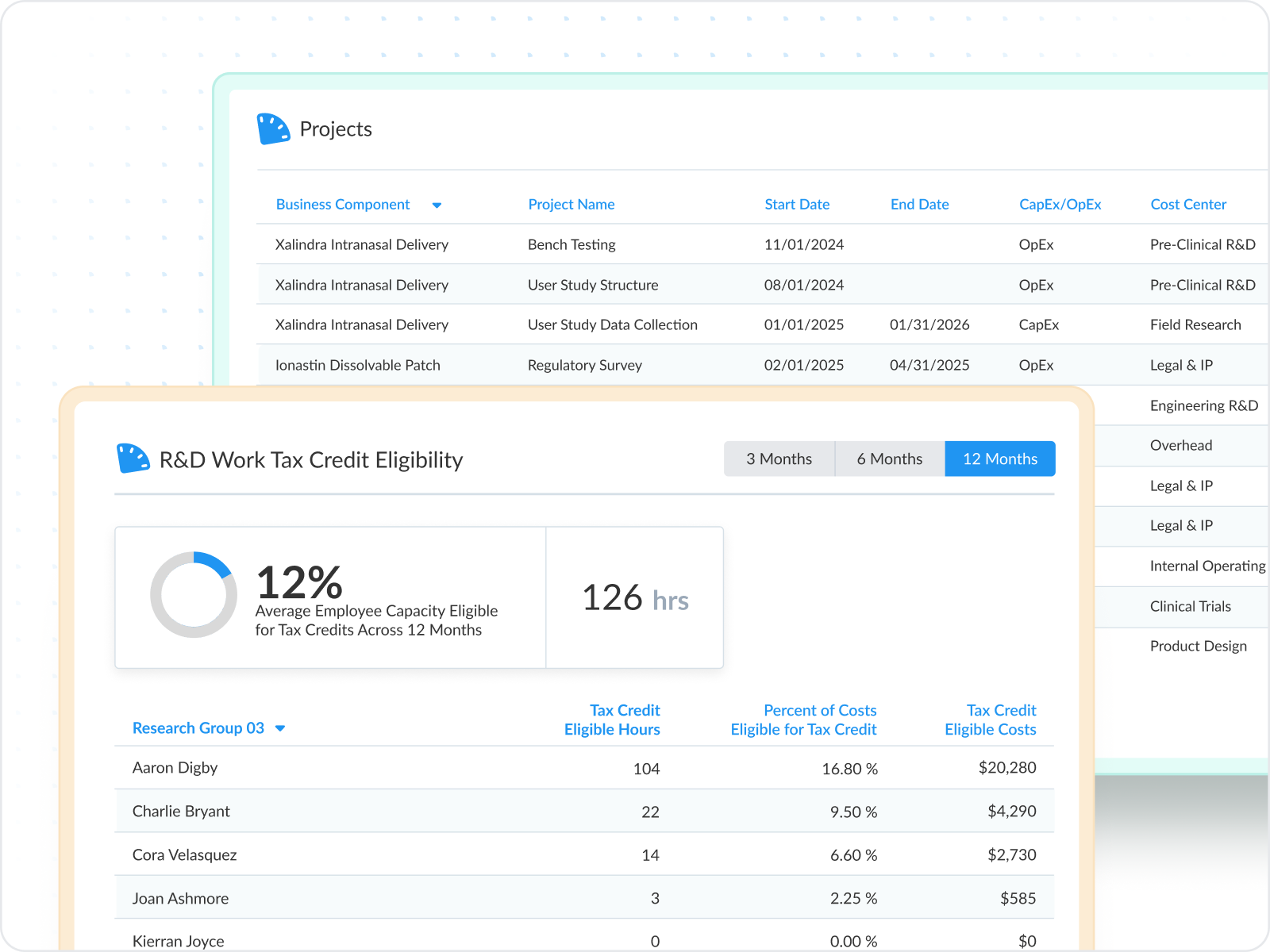
R&D tax credit tracking

Capture maximum R&D tax credits with verified labor cost records


Expense tracking

Maintain expense visibility and control across the organization


Smart cost allocation

Gain precise visibility into true project profitability, powered by accurate labor cost allocation

"With the help of ClickTime, we are able to document claims for R&D tax credits for the hours our U.S.-based engineers spend working on qualified activities."
Jerri Franklin
Program Administrator, Nidec

Allocate budgets with confidence

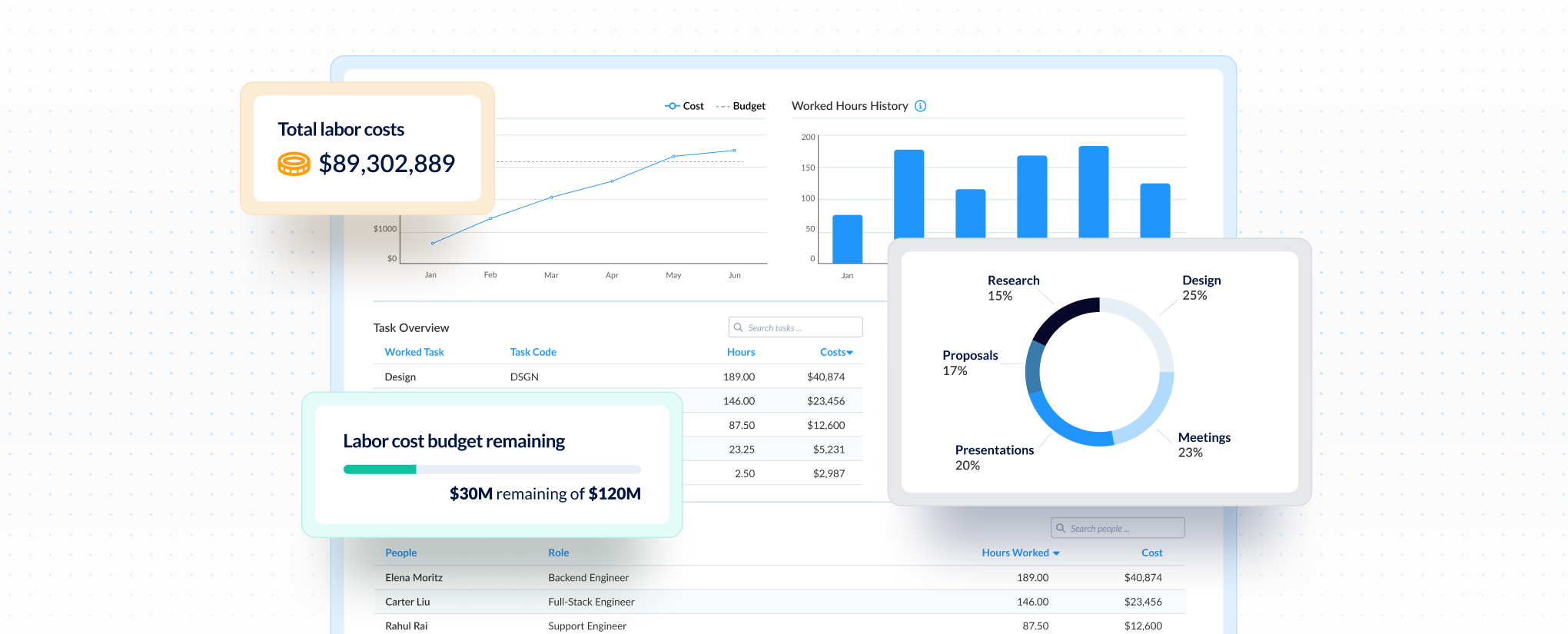
50% of organizations have experienced budget overruns due to poor labor tracking. Real-time visibility helps you see costs by project or department—and catch problems before they hit the P&L.

  • Monitor labor costs across the organization in real time
  • Automatically tie hours to cost rates for accurate spend data
  • Share dashboards with stakeholders to align on budget priorities
Explore reporting

Peace of mind for audits, all the time

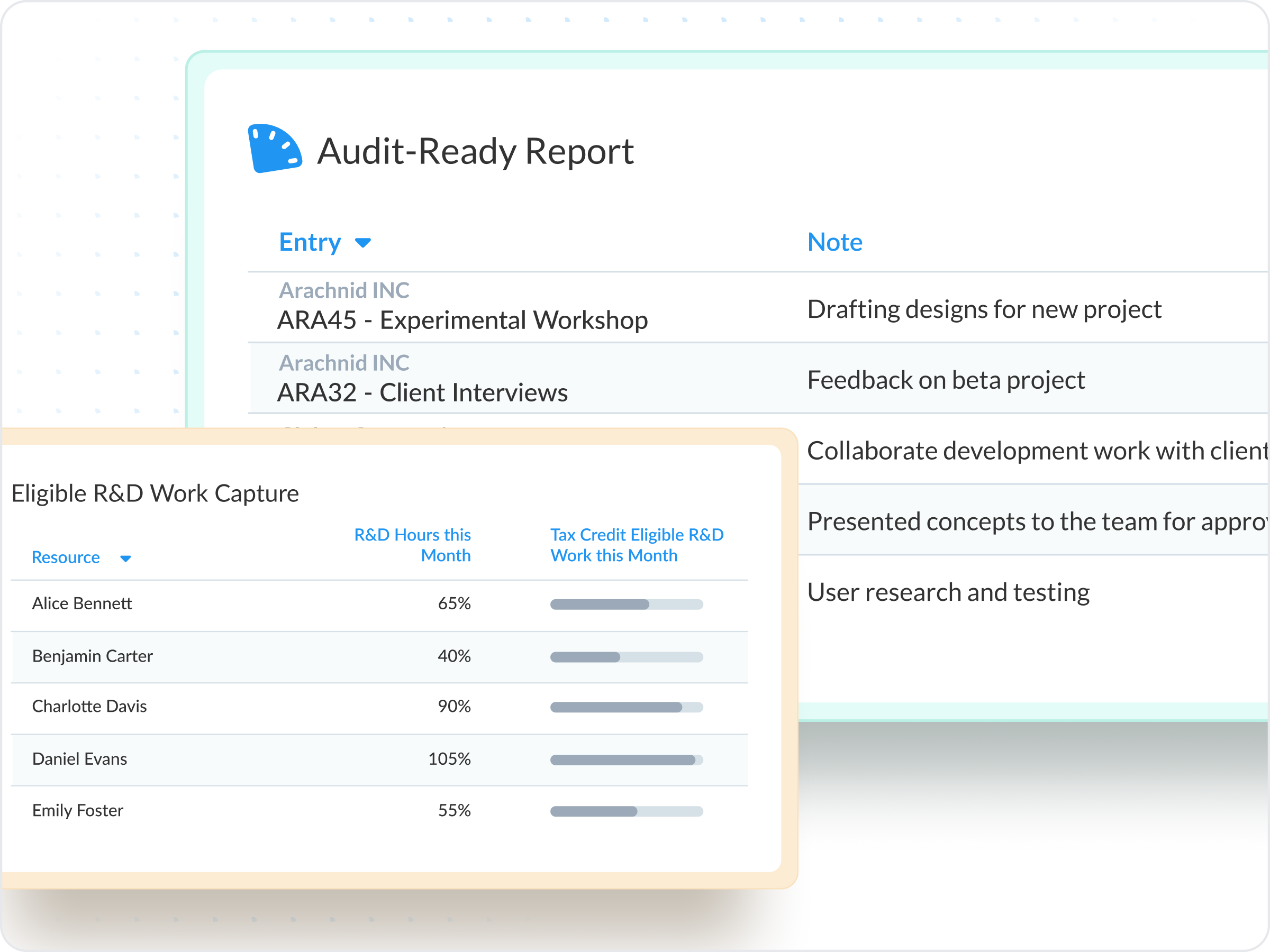
Nearly 25% of organizations have lost R&D tax credits due to poor documentation. 23% have faced audit failures. ClickTime gives you defensible records for capitalization, compliance, and investor reviews.

  • Rely on approval chains and audit trails for every entry
  • Classify CapEx/OpEx and R&D work at time of entry
  • Generate instant reports for auditors, boards, or tax advisors

Speak the same cost language

Only 56% of organizations use labor data strategically—the rest collect it but can’t leverage it. ClickTime gives finance, engineering, and delivery teams one shared view, eliminating reconciliation and disputes.

  • Simple interface for employees, rich data for finance
  • One source of truth eliminates version conflicts
  • Support chargebacks and labor cost allocation with granular data
Integrations

Purpose-built for labor cost data, not pieced together

View all integrations

ClickTime connects with your ERP, HRIS, and project tools to reduce double-entry and ensure labor data flows cleanly into your existing financial systems.

Smart Connect
Smart Connect
Smart Connect
Smart Connect
Smart Connect
Smart Connect
Smart Connect
FAQs

Common questions

The ClickTime team is here to answer your questions.

See all FAQs
How is ClickTime different from basic time tracking tools?

Most tools give you a log of hours. ClickTime structures every entry by project, client, cost center, and work type—so you get finance-ready labor cost data, not a spreadsheet to clean up.

Can ClickTime support R&D tax credit documentation?

Yes. Custom fields let you tag time entries by activity type, project phase, or any classification your tax advisor requires. Approval workflows and audit trails provide the defensible documentation auditors need.

Does ClickTime integrate with our ERP/accounting system?

Yes. We integrate with leading systems including NetSuite, QuickBooks, Sage Intacct, and more. Data exports map directly to your chart of accounts.

Does ClickTime support single sign-on (SSO)?
Security

Yes, we support Single Sign-On (SSO) including Azure AD, Okta, OneLogin, Google and numerous custom SAML options. Integrating with your SSO solution provides significant security benefits for you and your organization.

How does ClickTime allocate costs to labor hours?

ClickTime supports methods of allocating employee costs for hourly and salaried workers. Allocations can be programmed at hourly rates, or can alternatively be set for a whole timesheet and distributed across time worked in that given period. That way, salaried employees can have a set “cost per timesheet,” rather than a fixed hourly rate. Then, ClickTime evenly distributes the cost per timesheet across all hours worked in the given period.

How much data can I export at a time?
Exporting data & integration

You may export one year of data at a time. For example, you may export data from April 10, 2010 to April 10, 2011.

How long does implementation take?

Most teams are up and running within a few days, but some more complex organizations might take a few weeks. Our implementation team helps configure your cost structure, approval workflows, and integrations.

Stop losing visibility into your largest expense

Book a demo
Ask a question

Stop losing visibility into your largest expense

Book a demo
Ask a question