ClickTime plus Slack

Track time and tasks directly from your Slack workspace.

Get a demo
Contact specialist
Integration category
Text Link
Communication
Communication
Works with Smart Connect
No
ClickTime pricing plan
Team
REAL-TIME TIME TRACKING IN SLACK

Integration overview

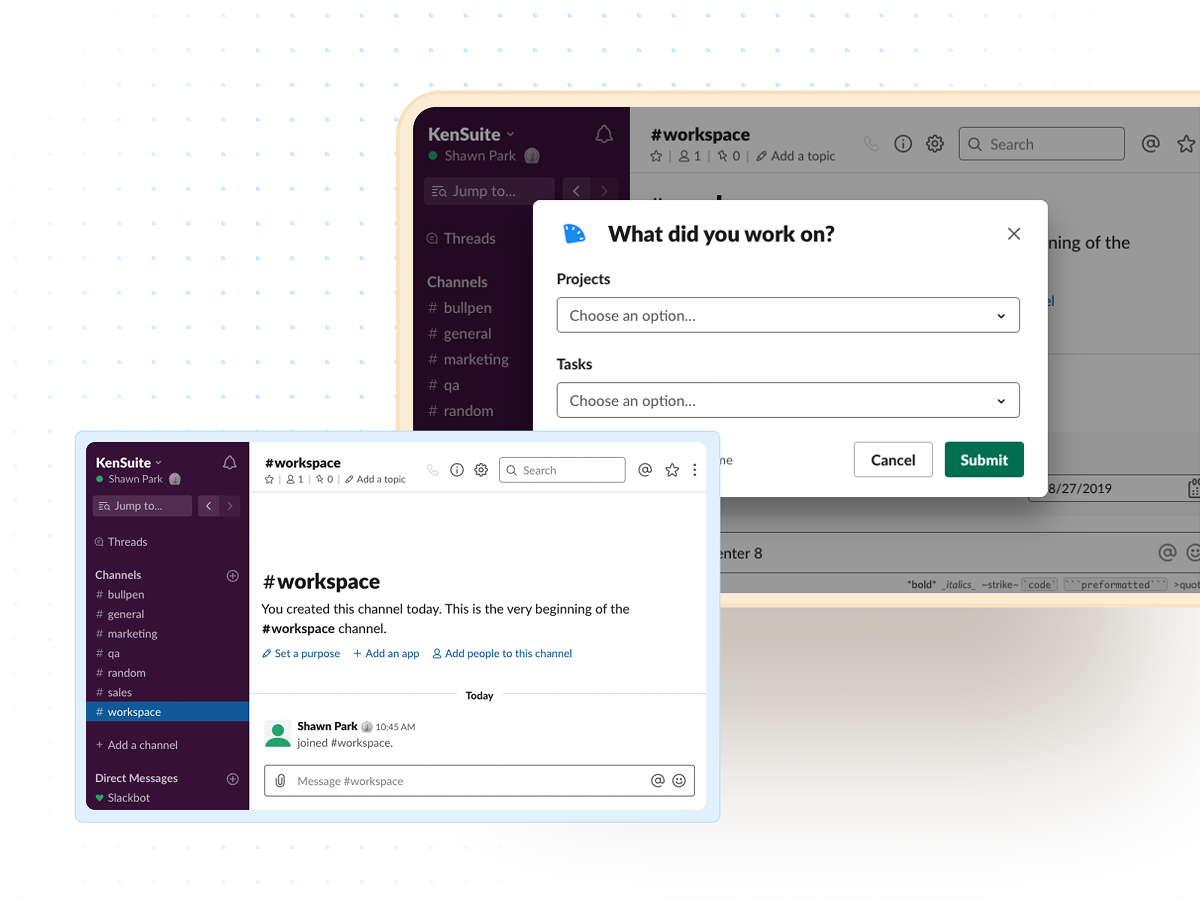
Use Slack as a convenient extension of ClickTime. Employees can log hours, set tasks, and update their status, all from Slack enabling real-time, accurate time entry without interrupting their workflow.

  • Enter time for projects and tasks directly from Slack
  • Capture hours in real time for more accurate reporting
  • Update task status and availability from your workspace
  • Improve visibility into team activity and workload

ClickTime requirements

  • Any ClickTime plan
  • User authentication enabled for Slack
  • Timesheet period must be open for time entry
  • Admin setup required for workspace connection

Slack

  • Slack workspace with permission to install apps
  • Access to ClickTime’s Slack integration
  • Ability to authenticate Slack with ClickTime

Keep teams aligned and accountable

1

Time entry where you work

Log your hours, projects, and tasks without ever leaving Slack. Track time in real-time and eliminate the friction of switching tools — ensuring you capture accurate data as work happens.

2

Enhanced team coordination

Set your current task or project directly in Slack and make your availability visible to your teammates. Keep everyone aligned on what’s in progress and who’s heads-down.

3

More than time tracking

Slack is one of many integrations supported by ClickTime. With Zapier, you can connect Slack to hundreds of tools while using ClickTime’s project and budgeting features to work more efficiently.

Track time without losing momentum

ClickTime’s Slack actions and commands make logging hours effortless—capture work as it happens, reduce end-of-day guesswork, and maintain cleaner, audit-ready records.

  • Add time to projects and tasks directly from Slack
  • Record hours as you go for higher accuracy
  • Reuse recent entries for faster logging

Keep teams aligned in real time

Updating your active task or availability inside Slack gives teammates instant clarity on who’s working on what. Managers get better visibility, and teams stay in sync during fast-moving project cycles.

  • Set your active task from Slack
  • Share availability automatically with your team
  • Improve transparency across workloads and channels

Common questions

See all FAQs
How does time entry work in Slack?

Employees can log hours using modals in the Slack App Home or by running slash commands such as /ct today or /ct time.

Can I edit or delete entries from Slack?

Yes. You can remove or adjust recent entries using the Delete workflow or the `/ct delete` command.

Does Slack show my weekly totals?

Yes. Use the Weekly Summary in the App Home or type `/ct week` to see your hours, completeness, and missing days.

Are there account types that cannot use Slack?

DCAA accounts, sub-job configurations, non-GDPR-consented users, and custom SSO (non-Google) accounts are not supported.

Stop losing visibility into where time goes

Get faster, accurate time tracking—directly inside Slack.

Book a demo
Ask a question