
ClickTime plus Outlook

Turn Outlook calendar activity into accurate, finance-ready time data

Get a demo
Contact specialist
Integration category
Text Link
Calendar
Calendar
Works with Smart Connect
Yes
ClickTime pricing plan
Starter

Integration overview

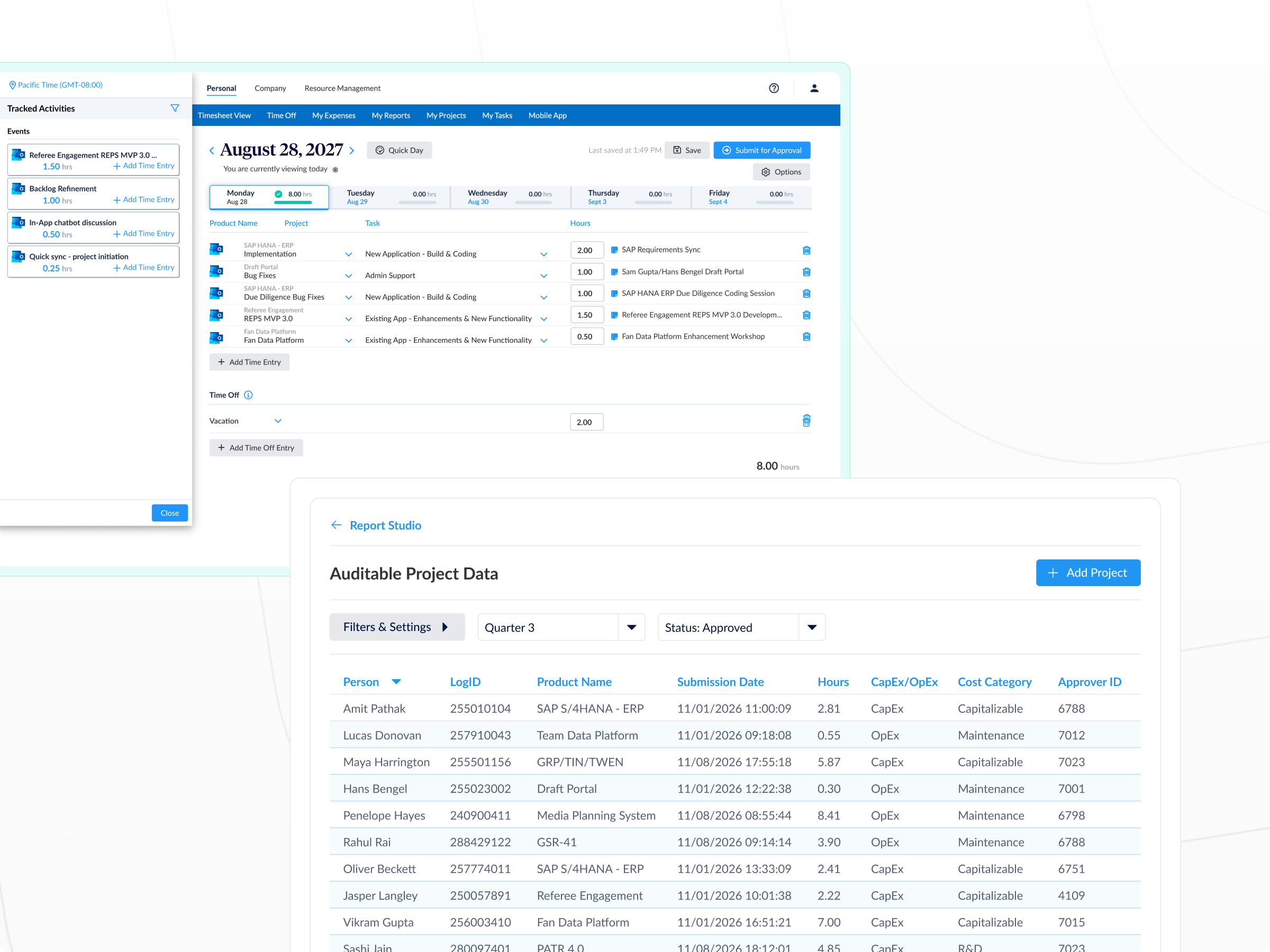
ClickTime + Outlook pulls calendar activity directly into ClickTime, where employees can review and log time against your established projects, tasks, and cost centers.

This reduces administrative effort, improves data quality, and preserves the financial structure required for budgeting, billing, and compliance.

  • Capture time that often goes unreported or logged late
  • Keep time data structured without manual classification
  • Support CapEx & R&D documentation with verifiable records
  • Improve forecasting, staffing decisions, and budget allocation

ClickTime requirements

  • Projects, tasks, and cost centers configured in ClickTime
  • User accounts enabled for time entry
  • Admin access to enable and manage integrations

Microsoft Outlook Calendar

  • Outlook Calendar enabled for users
  • Permission to authorize calendar access
  • Calendar events owned by or shared with the user

1

Protect your financial structure by design

Outlook calendar activity is converted into time entries that align with your existing project, task, and cost-center framework.

2

Increase consistency and audit confidence

Time entries are grounded in real calendar activity, helping teams report more accurately and giving Finance clearer, defensible records.

3

Quick to deploy, built to grow

Connect Outlook calendars in minutes with no custom configuration, and scale across teams without added IT overhead.

Capture time directly from calendar activity

Meetings, work sessions, and focus blocks are translated into suggested time entries that employees can review and approve.

  • Recover hours lost to missed or delayed entries
  • Reduce manual effort and follow-ups
  • Improve accuracy without increasing employee burden
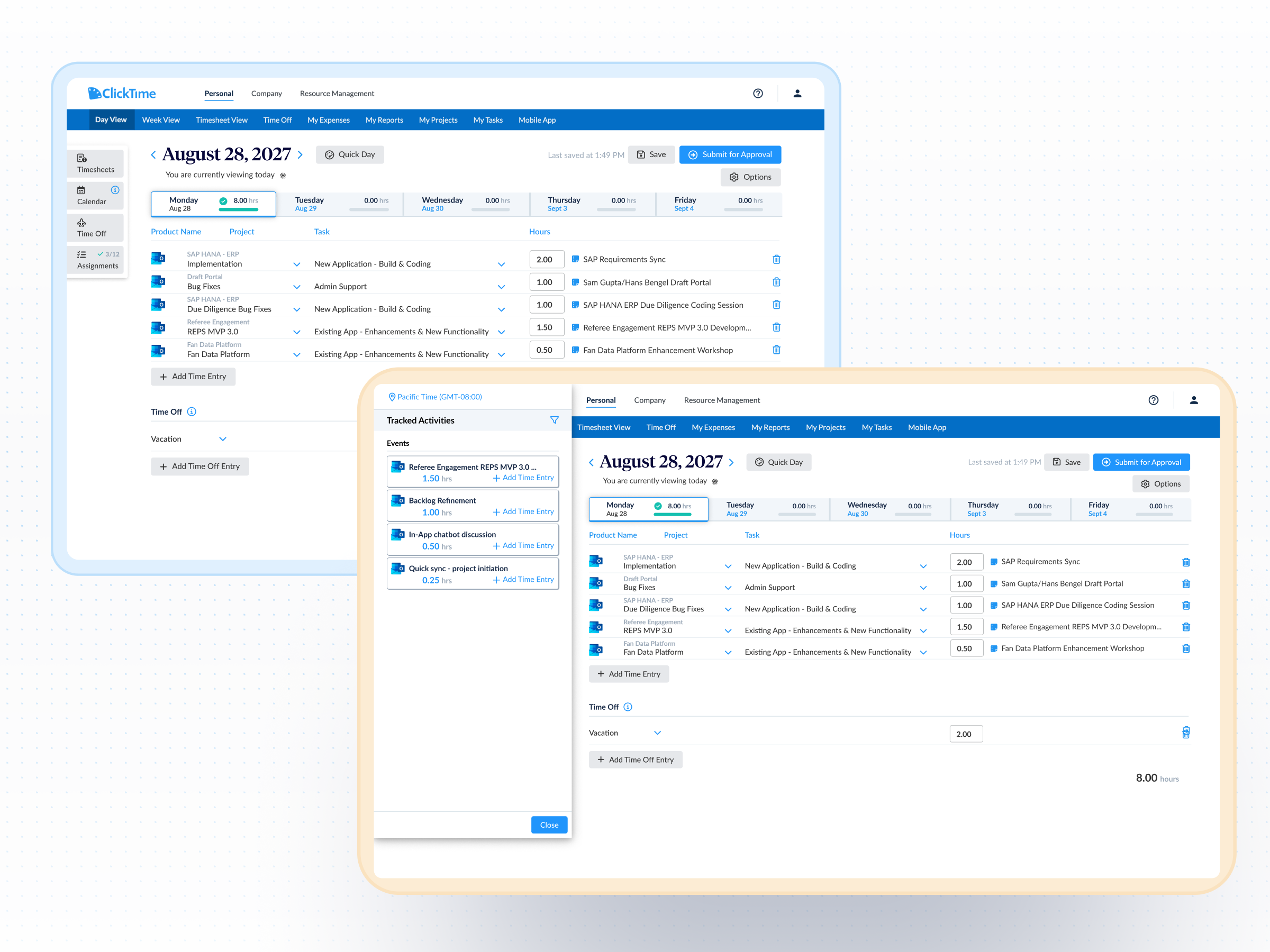
Translate activity into financial context

Context and historical patterns guide how each event is mapped to the appropriate project, task, or cost center.

  • Minimize reclassification and cleanup cycles
  • Improve utilization, margin, and cost reporting
  • Apply consistent allocation logic across teams

Scale automation without losing control

The system handles time preparation while employees validate accuracy—maintaining oversight, audit defensibility, and consistency as usage expands.

  • Deliver accurate time data without additional oversight
  • Accelerate approvals while reducing administrative effort
  • Support audit-ready records across the organization