ClickTime plus Jira

Bring financial clarity to engineering with a direct Jira integration that converts work logs into finance-ready, auditable labor data.

Get a demo
Contact specialist
Integration category
Text Link
Project Management
Project Management
Works with Smart Connect
Yes
ClickTime pricing plan
Premier
STRUCTURED LABOR DATA FROM JIRA

Integration overview

The ClickTime Jira integration automatically imports Jira work logs into ClickTime and converts them into classified, finance-grade labor entries. Engineering teams continue logging work the way they always have. ClickTime applies cost center, GL code, project mapping, and CapEx/R&D classification rules on the backend ensuring accuracy and eliminating spreadsheet-based reconciliation.

ClickTime requirements

Jira

1

Produce finance-ready labor data from Jira work

Jira activity flows directly into ClickTime and is automatically categorized by project, cost center, GL code, and CapEx/R&D status. Finance receives policy-enforced, audit-ready data, not inconsistent spreadsheets that need manual reconstruction

2

Produce finance-ready, audit-safe labor data from Jira

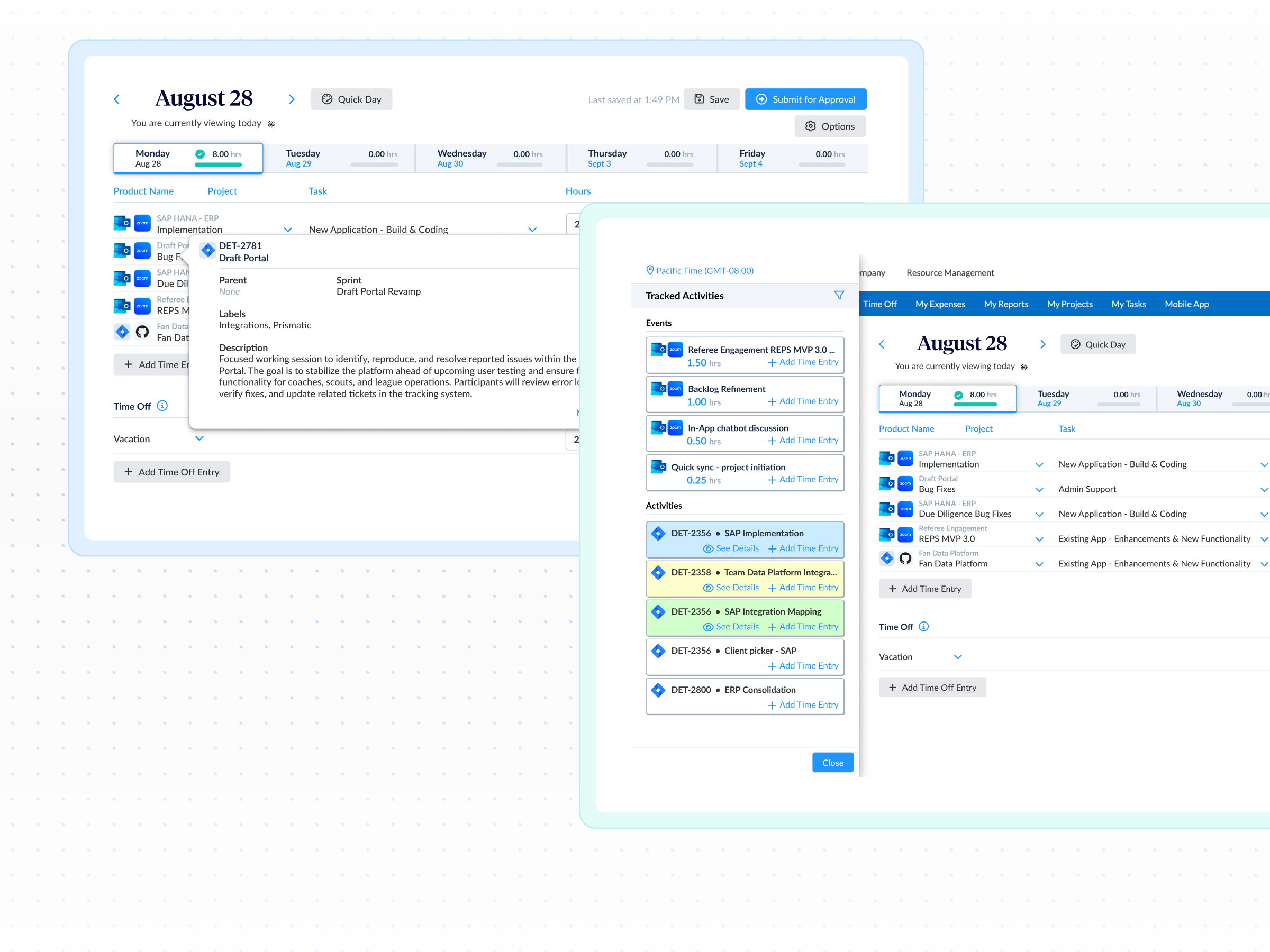
Jira work logs flow directly into ClickTime, where engineers select an associated project. Cost center, GL code, CapEx category, and any other relevant classifications are automatically mapped to the entry based on the project selected. Finance gets consistent, defensible, audit-ready data while project entry becomes painless for engineers.

3

Get org-wide visibility beyond Jira users

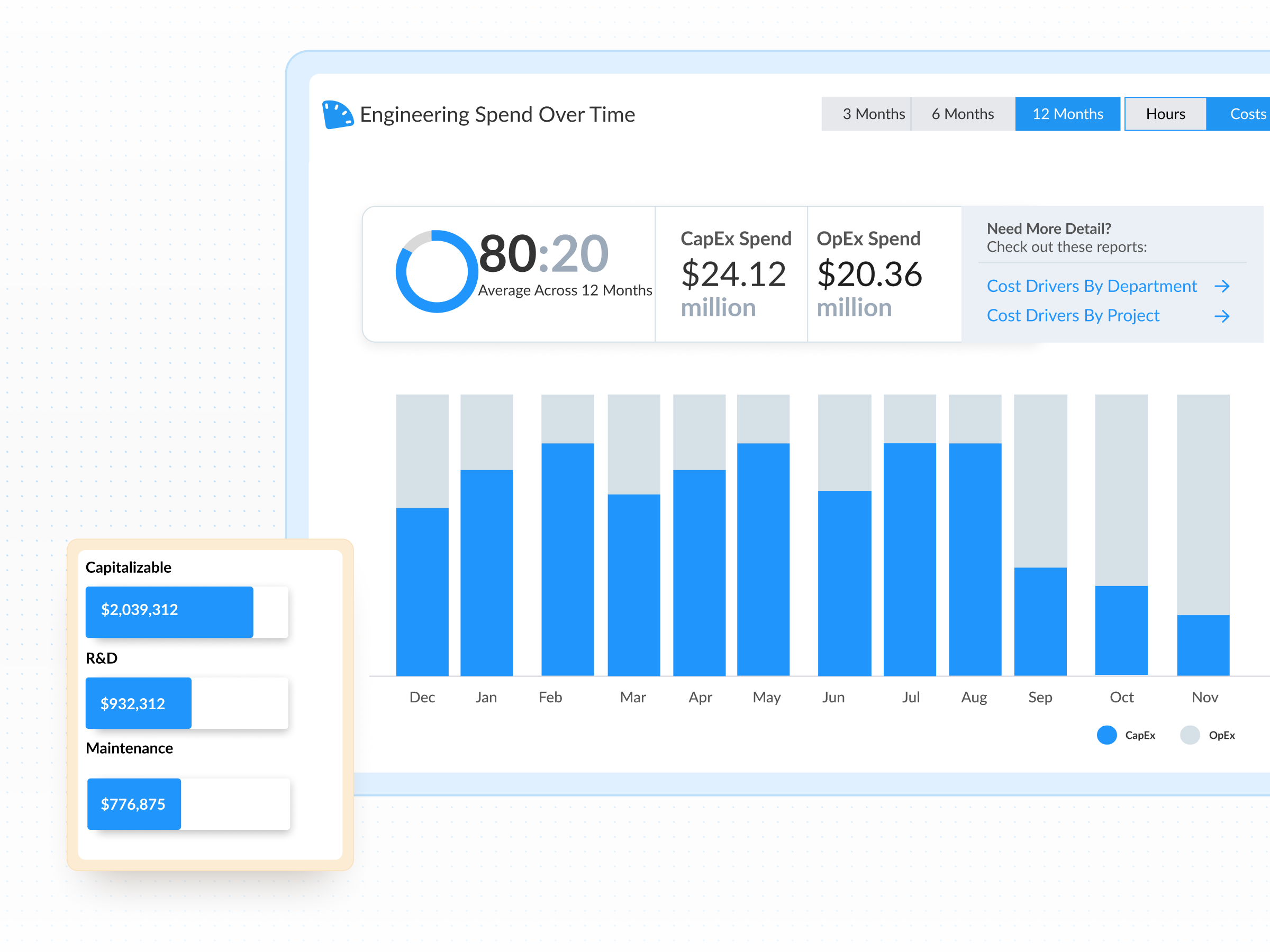
ClickTime brings every source of time into one financial model; Jira work logs, calendar-driven meeting time, QA and PM activity, IT work, and internal initiatives. This gives leaders a complete, organization-wide view of development investment, not just the portion captured inside Jira.

A system of record for engineering labor costs

ClickTime transforms Jira work logs into a unified, auditable dataset that Finance can rely on. All financial mappings are controlled at the admin level, so entries are automatically tied to the correct projects, cost centers, and capitalization rules.

  • Approvals and review workflows
  • ERP/HRIS-ready reporting
  • One authoritative layer for all labor cost data
  • Clean, consistent classifications

Complete visibility across engineering and adjacent teams

Jira logs are combined with calendars, internal projects, and non-Jira roles like QA, PM, and IT. This gives PMOs and delivery teams the full picture of where time goes, improving portfolio reporting and budget predictability.

  • Include non-Jira users and activities
  • Strengthen delivery vs. budget alignment
  • Reduce cross-system reconciliation
  • Improve trust in project and cost reporting

Faster audits and confident financial decisions

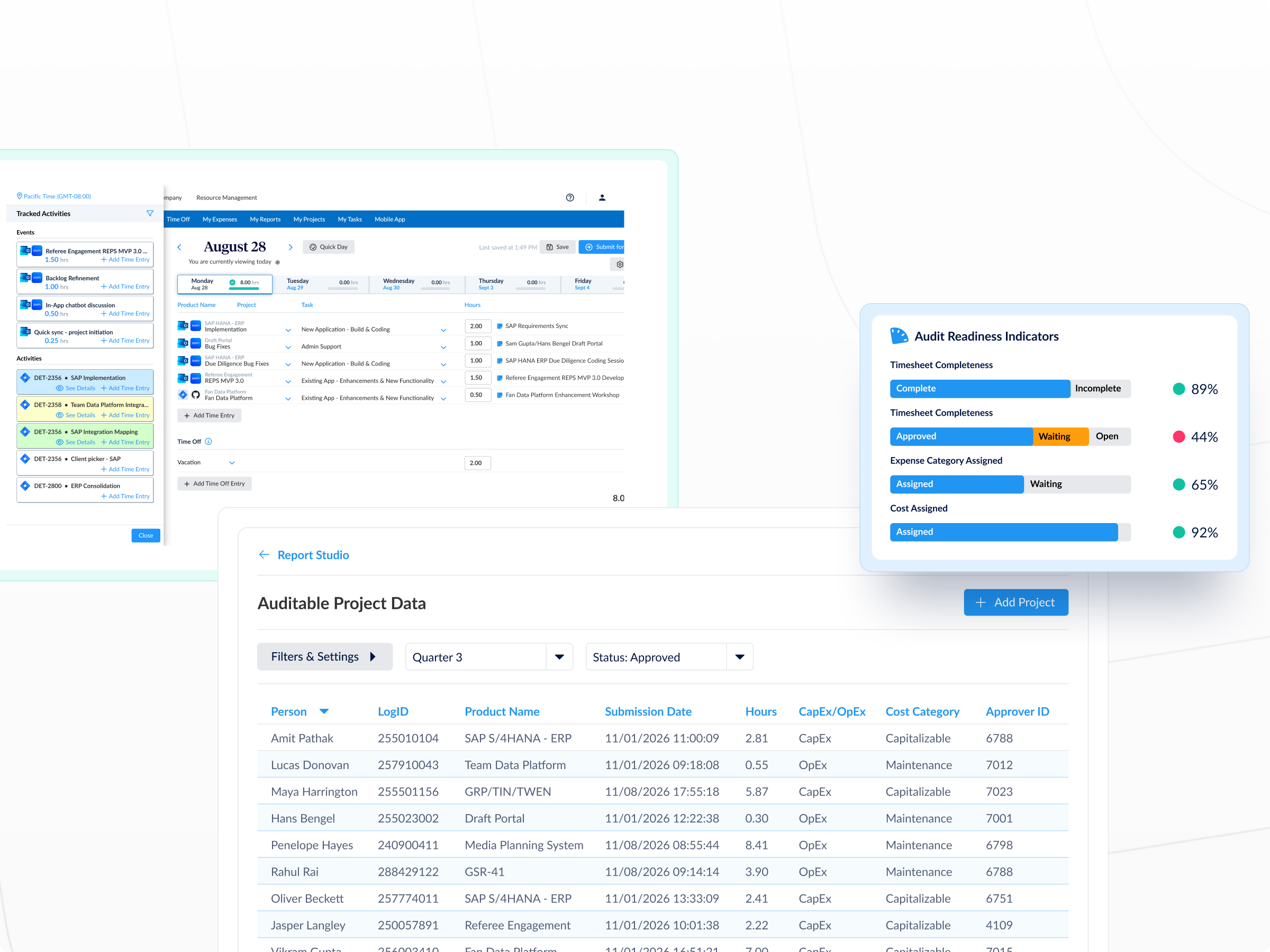
With every entry carrying its own change log and audit trail, finance teams have the defensible documentation they need without manual cleanup. Auditors get clarity, leadership gets confidence, and teams stay focused on work that matters.

  • CapEx/R&D support
  • Policy-driven classification
  • Complete audit trail on every entry
  • Pull-the-report simplicity for auditors

Common questions

See all FAQs
How does ClickTime classify Jira work?

Via admin-controlled financial mappings—applied automatically upon project selection.

Do engineers need to track time inside ClickTime?

No. Jira work logs flow directly into ClickTime; no new workflow required. Engineers must confirm project selections and approve suggested time entries inside ClickTime to ensure audit standards are met, but the Jira integration allows them to bypass manual time tracking in ClickTime.

Will non-Jira work be included?Will non-Jira work be included in ClickTime reporting?

 Yes, calendar time, QA, PM, IT, internal projects, and PTO all roll into the same financial model.

Is this a replacement for Tempo?

ClickTime provides finance-ready outputs, policy enforcement, classifications, and audit trails that Jira-native tools don’t offer.